

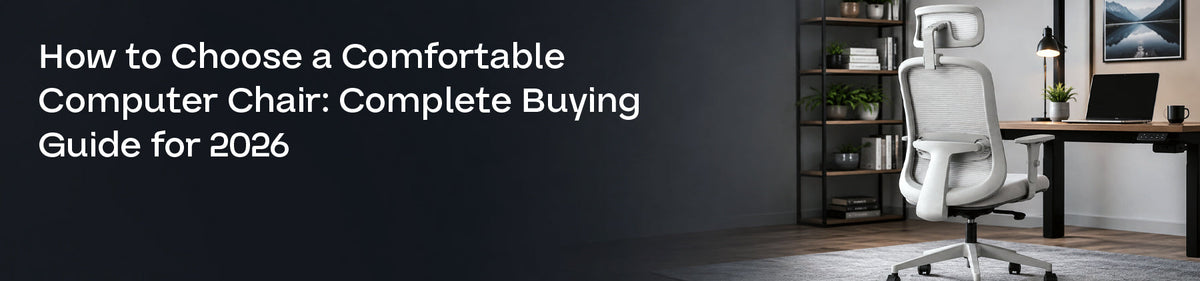
Choose computer chairs that support your lower back, allow easy height adjustment, and keep your feet flat on the floor. Look for a comfortable seat, adjustable armrests, breathable materials, and smooth movement. The right chair should fit your body, desk setup, and daily sitting routine.
Introduction
A computer chair may look comfortable in a showroom but feel very different after several hours of work. Poor seat depth, limited back support, or armrests at the wrong height can gradually make sitting tiring.
Choosing the right computer chairs is therefore less about appearance and more about how well the chair supports your body during everyday tasks. A thoughtful choice can make working, studying, gaming, and browsing feel easier and more natural.
What Are Computer Chairs?
Computer chairs are seats designed for use at a desk or workstation. They usually include wheels, a rotating base, adjustable height, and a supportive backrest.
Some models offer additional features such as lumbar support, adjustable armrests, headrests, reclining functions, and breathable mesh backs. The most suitable chair is not necessarily the one with the most features. It is the one that fits your body and sitting habits properly.
Why Does Sitting Discomfort Happen?
Discomfort often develops when a chair does not match the user’s height, posture, or desk position. A seat that is too high may leave the feet unsupported. A deep seat can press against the back of the knees. Fixed armrests may push the shoulders upward, while a flat backrest may provide little support to the lower back.
Long sitting hours, limited movement, leaning towards a laptop, and using a desk at the wrong height can also increase tiredness.
How Can You Choose the Right Computer Chairs?
Start by checking the chair’s adjustment options.
The seat height should allow your feet to rest flat on the floor while your knees remain close to a right angle. The backrest should support the natural curve of your lower back without forcing you into a stiff position. Check the seat depth as well. There should be a small gap between the seat edge and the back of your knees.
Armrests should support your forearms while keeping your shoulders relaxed. A reclining backrest can also help you change positions during long work sessions.
Best Practices
Try the chair before buying whenever possible. Sit in it for more than a few minutes and test every adjustment.
Choose breathable upholstery if you sit for long hours or live in a warm climate. Make sure the wheels move smoothly on your flooring and that the base feels stable.
Even with a supportive chair, stand up, stretch, and change posture regularly. Comfort improves when the chair and daily movement habits work together.
Common Mistakes
One common mistake is choosing a chair only because it looks stylish.
People also ignore seat size, buy chairs with fixed features, or assume that a thick cushion always means better comfort. Very soft seats may feel pleasant initially but may not provide balanced support during longer sitting periods.
Another mistake is adjusting the chair once and never reviewing the setup after changing desks, monitors, or work habits.
Expert Insights
A comfortable chair should support movement rather than hold the body in one position all day.
Pay attention to how your body feels after thirty minutes, not only during the first minute. Pressure behind the knees, raised shoulders, or a rounded lower back may indicate that the chair needs adjustment or is not suitable for your body.
Product Recommendations
Comfort-focused options from brands such as Bezomè can be considered when you need practical support for working, studying, or daily computer use. Review the chair’s dimensions and adjustment range before making a decision.
| Factor | Poor Choice | Better Choice |
|---|---|---|
| Seat height | Fixed height | Easy height adjustment |
| Back support | Flat backrest | Shaped lumbar support |
| Armrests | Too high or fixed | Adjustable, relaxed positioning |
| Material | Heat-trapping surface | Breathable, comfortable fabric |
| Base | Lightweight and unstable | Strong five-point base |
Conclusion
Choosing comfortable computer chairs requires more than comparing designs and prices. Focus on fit, adjustability, lower-back support, seat depth, materials, and how the chair works with your desk.
A well-chosen chair can make everyday sitting feel more balanced, especially when combined with regular movement and thoughtful posture habits.
Soft CTA
Choose support that fits the way you work, rest, and spend time at your desk.


